
Hotel Wi-Fi Management Software in Lucknow | Smart Wi-Fi Solutions
Hotel Wi-Fi Management Software by Websofy helps manage guest logins, checkout access, bandwidth and monitoring. Book a free demo for your Lucknow hotel.
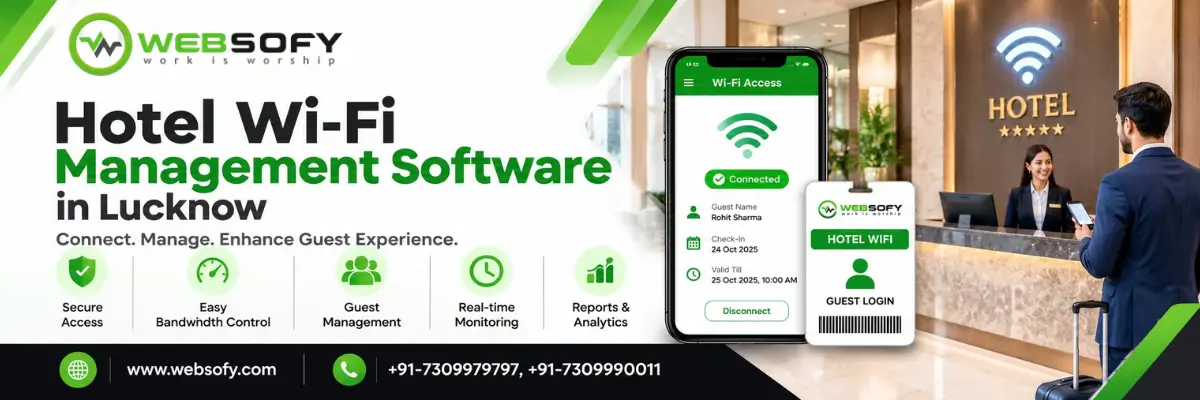
Managing guest internet access should not create extra work for your hotel reception team. Hotel Wi-Fi Management Software from Websofy helps hotels manage guest connections through room-based login, QR codes, WhatsApp login links and automatic access expiry at checkout.
Reception staff can enter the required guest details and scheduled checkout time, allowing the system to manage internet access according to configured session rules. The solution also supports room-wise speed and device limits, guest connection records and remote administration through a cloud-based management panel.
Designed for hotels in Lucknow and other locations, Websofy's Hotel Wi-Fi Management Software in Lucknow helps property owners manage guest internet access more systematically while making better use of compatible existing network equipment.
Want to see how it works? Call Websofy at +91-7309990011 or +91-9335785354 to book a free demo.
What Is Hotel Wi-Fi Management Software?
Hotel Wi-Fi Management Software is a solution that helps hotel owners control guest internet access, manage connection sessions and apply network usage policies. Instead of sharing one permanent Wi-Fi password with every guest, hotels can provide a defined login process linked to room details and the guest's permitted stay.
Websofy's Hotel Wi-Fi Management System combines guest authentication, internet access control and cloud-based administration in one solution. Reception staff enter the necessary guest information and checkout time. Guests can then scan a room QR code or open a login link shared through WhatsApp to begin the login process.
The system helps hotel operators manage access without manually handling every guest connection. Its actual capabilities depend on the deployed configuration, network hardware and available integrations.
For hotels that want better control over guest connections without replacing their entire network, this approach offers a practical way to organise daily Wi-Fi operations.
Common Hotel Wi-Fi Problems Websofy Helps Solve
A shared Wi-Fi password may seem convenient, but it can become difficult to manage when guests change every day. Hotels can experience several recurring issues.
Shared passwords: Former guests and unauthorised users may continue accessing the network if access is not properly controlled.
Slow internet: Excessive usage by a few devices can affect the internet experience of other guests.
Connections after checkout: Staff may forget to disconnect previous guests or update access credentials.
Limited connection visibility: A common password does not provide convenient individual guest-session records by itself.
Reception workload: Staff may repeatedly answer Wi-Fi questions, share passwords and troubleshoot access manually.
Guest WiFi Management Software helps address these challenges through controlled login, automatic session expiry, room-wise usage policies and centralised monitoring.
By reducing repetitive tasks, a properly configured system can help reception staff focus on guest service while giving hotel management greater visibility into network access.
How Hotel Wi-Fi Management Software Works
Websofy's Hotel WiFi Login System follows a straightforward process designed around normal hotel check-in and checkout operations.
1. Enter Guest and Room Details
At check-in, reception enters the guest's required details, room number and scheduled checkout time into the management panel. These details help define the intended internet access period.
2. Share the Wi-Fi Login
Guests scan the QR code provided for their room or open a login link shared through WhatsApp. This gives guests a convenient way to access the login process without asking reception for a common password.
3. Connect Using Room Details
The guest enters the required room number and surname. The configured authentication process determines whether access is permitted.
4. Automatically Expire Access at Checkout
When the configured checkout time arrives, the guest's Wi-Fi session expires according to the system's access rules. If the guest extends their stay, authorised reception staff can update the checkout time.
This workflow helps hotels manage internet access consistently and reduces the need for manual disconnection after every departure.
Key Features of Hotel Wi-Fi Management Software
Websofy's Hotel Wi-Fi Management Software combines guest onboarding, internet access control and reporting features to support daily hotel operations.
Feature | How It Helps Your Hotel |
Room-wise QR codes | Makes it easier for guests to open the Wi-Fi login process. |
WhatsApp login links | Allows reception to share a login link with guests. |
Room number and surname login | Provides a room-based authentication workflow. |
Automatic checkout expiry | Ends guest access at the configured checkout time. |
Stay extension | Allows authorised staff to update access when a stay is extended. |
Bandwidth management | Helps control internet speed according to configured policies. |
Device limits | Helps restrict the number of connected devices permitted per room. |
Guest session records | Provides visibility into available connection and usage information. |
Cloud management panel | Allows authorised staff to manage the system remotely. |
Excel report export | Helps staff prepare reports from records available in the system. |
These features help hotels move away from informal password sharing towards a more structured internet access process.
The final feature availability and configuration should be confirmed during the product demonstration.
Cloud-Based Hotel Wi-Fi Management Without a Dedicated PC
Hotel owners need a practical way to manage guest internet access without adding unnecessary work or equipment to reception operations.
Websofy's Cloud-Based Hotel WiFi Management approach allows authorised staff to access the management panel remotely, subject to the configured service and internet connectivity.
The proposed setup uses a MikroTik router to manage internet access. Existing Wi-Fi routers can continue working as access points where they are compatible with the required network configuration. This can help hotels avoid replacing equipment unnecessarily.
The system is designed to work with internet connections from providers such as Jio, Airtel, BSNL, ACT and other compatible ISPs. The required hardware depends on the property's room count, network layout, number of internet connections and expected usage.
Websofy estimates that a suitable installation may be completed within approximately one to two hours. Complex network layouts or additional infrastructure requirements may affect implementation time.
Hotel Wi-Fi Authentication, Access Control and Session Records
A properly configured Hotel WiFi Authentication System helps hotel operators manage guest connections more systematically than a shared password alone.
Depending on the deployed configuration, authorised staff may be able to review information such as guest details, room numbers, device identifiers, IP addresses, connection times, data usage and domain-level activity records.
These records can assist with troubleshooting, network administration and preparing reports for authorised requests. The information available depends on the logging capabilities, network configuration and retention settings.
Websofy's proposed solution includes guest session records and Excel reporting. Before implementation, hotel owners should confirm which fields are captured, who can access them, how long they are retained and how reports are exported.
Guest information and network records should be handled according to applicable legal requirements and privacy obligations. A logging feature alone does not guarantee regulatory compliance.
Hotel Wi-Fi Hardware and Installation Requirements
Websofy's Hotel Wi-Fi Management System is designed to work with compatible existing network equipment wherever practical. A technical assessment helps determine whether the hotel's current router, access points and cabling can support the required configuration.
Depending on the property, installation may involve:
MikroTik hEX: A router option for properties with existing Wi-Fi access points.
MikroTik hAP ax²: An option for smaller hotels that need a router with built-in Wi-Fi.
MikroTik RB5009: An option to assess for larger deployments or properties requiring multiple internet connections.
Additional Wi-Fi access points: Useful where existing wireless coverage is weak.
LAN cabling and network configuration: Required according to the hotel's infrastructure.
The final hardware selection depends on room capacity, internet usage, wireless coverage and the existing network setup. Not every hotel needs to replace its existing routers.
It is also important to understand that access management cannot automatically fix a slow ISP connection or poor wireless coverage. Those issues may require separate network improvements.
Hotel Wi-Fi Management for Small and Large Properties
Every hotel has different network requirements. A small property may need a straightforward guest login workflow, while a larger hotel may require additional access points, more extensive network controls or multiple internet connections.
Websofy helps hotel owners assess their requirements before recommending a suitable configuration. The discussion can cover room capacity, current Wi-Fi equipment, guest login preferences, internet usage policies and reporting needs.
For larger properties or hotel chains, a technical assessment can identify whether additional networking infrastructure or a customised deployment is necessary.
Rather than selecting a solution based only on room count, hotel owners should consider guest experience, internet capacity, network coverage, access control and ongoing support requirements.
Contact Websofy for a customised recommendation based on your hotel's existing infrastructure and operational needs.
Benefits of Hotel Wi-Fi Management Software
Choosing the right Hotel Wi-Fi Management Software can improve daily network administration and provide hotel staff with a more consistent way to manage guest connections.
Better access control: Manage guest connections through a defined login process rather than relying entirely on a shared password.
Less manual work: Reduce repetitive tasks associated with guest access and checkout.
More consistent internet usage: Apply configured bandwidth and device policies to help distribute available network capacity.
Improved session visibility: Review the connection records available through the management panel.
Remote administration: Allow authorised staff to manage supported settings without always being physically present at the property.
Better use of existing equipment: Retain compatible routers and access points wherever the network design permits.
These benefits depend on correct implementation, suitable hardware, sufficient internet capacity and staff training. Websofy recommends reviewing the existing network before deployment to identify the most appropriate configuration.
Why Choose Websofy for Hotel Wi-Fi Management Software in Lucknow?
Websofy Software develops software solutions for business requirements and offers a hotel Wi-Fi management solution focused on practical operational needs.
For hotels in Lucknow, the Hotel Wi-Fi Management Software solution is designed around room-based guest login, checkout-based access expiry, room-wise usage controls and centralised administration.
The implementation process begins with an assessment of the hotel's room capacity and existing network equipment. Websofy can then demonstrate the guest login workflow, discuss the required hardware and explain the available management and reporting features.
The proposed service also includes ongoing support through phone and WhatsApp, along with renewal reminders. Hotel owners should confirm the applicable support scope, response arrangements and service terms before proceeding.
The goal is to introduce a manageable access-control process while using compatible existing equipment wherever possible.
Get a Free Demo of Hotel Wi-Fi Management Software
Looking for Hotel Wi-Fi Management Software in Lucknow for your property? Contact Websofy to discuss your requirements and request a customized proposal.
Our team can review your room count, existing routers, internet connection, wireless coverage and guest access requirements before recommending a suitable setup.
During the free demo, you can explore the room-based login workflow, QR codes, WhatsApp login links, automatic checkout expiry, device limits, bandwidth controls, cloud administration and available reports.
Contact Websofy Software
Phone: +91-7309990011
Alternate contact: +91-9335785354
Service: Hotel Wi-Fi Management Software
Location: Lucknow, Uttar Pradesh
Next step: Book a free demo and request a customized quotation.
Share your hotel's requirements to understand the appropriate configuration and implementation process.
Discover
Map people, processes, inputs, outputs, bottlenecks and success metrics.
Design
Define information architecture, roles, modules, UX, integrations and reporting.
Engineer
Build the platform, APIs, dashboards, automations and supporting infrastructure.
Grow
Connect analytics, SEO, campaigns and optimization to the system after launch.
Case studies
See the systems Websofy has delivered for government, healthcare and education clients. See all Websofy work →
Need this solution adapted to your process?
Give us the requirement. We will turn it into modules, milestones and an indicative budget.
FAQs About Hotel Wi-Fi Management System in Lucknow
Which Hotel Wi-Fi Management Software is suitable for hotels in Lucknow?
The right software should support guest authentication, checkout-based access expiry, bandwidth controls and reporting. Websofy offers a solution designed around these hotel Wi-Fi management requirements.
How does Hotel Wi-Fi Management Software work for hotel owners?
Reception enters guest details and checkout time. Guests access the configured login workflow through a room QR code or a WhatsApp login link.
Can hotel guests log in using their room number and surname?
Yes. Websofy's proposed workflow uses room number and surname for guest login. The precise authentication and validation process should be confirmed during the demonstration.
Does Hotel Wi-Fi Management Software disconnect guests after checkout?
Yes. The proposed system expires access at the configured checkout time. Reception can update the checkout time when an authorised stay extension is required.
Can small hotels in Lucknow use Hotel Wi-Fi Management Software?
Yes. The solution supports room-based guest access management. Websofy can assess your room count and existing network before recommending a suitable configuration.
Does Websofy Hotel Wi-Fi Management Software require a computer?
The proposed setup does not require a dedicated hotel computer. Authorised staff can access the cloud management panel remotely, subject to connectivity and configuration.
Can Hotel Wi-Fi Management Software control internet speed per room?
Yes. The proposed solution supports room-wise speed and device limits, helping hotels distribute available bandwidth according to configured policies and network capacity.
What hardware is needed for hotel Wi-Fi management in Lucknow?
Requirements depend on room count and existing equipment. A compatible MikroTik router may be sufficient when suitable Wi-Fi access points are already installed.
How can hotels request a Hotel Wi-Fi Management Software quotation?
Hotel owners can contact Websofy to discuss room capacity, existing network equipment and required features. The team can recommend a configuration and provide a customised quotation.
How can hotel owners in Lucknow book a free software demo?
Hotel owners can contact Websofy at +91-7309990011 or +91-9335785354 to discuss room capacity, review the software workflow and arrange a demonstration.