
Society Gate Pass Management Software Solutions | Boot Live Demo
Manage society vehicle entry with Websofy Society Pass. Use ANPR cameras, boom barriers, visitor passes and digital gate records. Call for demo:+91- 7309979797
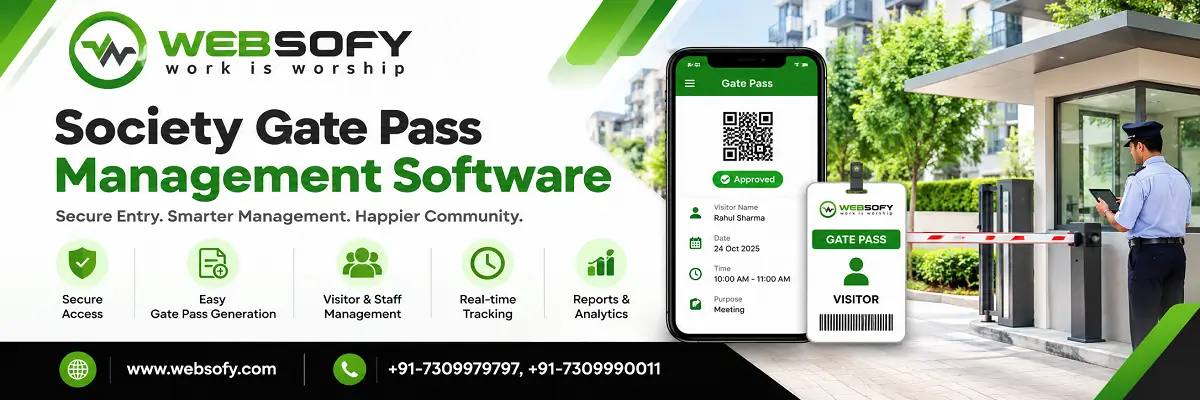
Managing the entry and exit of vehicles is an important responsibility for every housing society. When security guards depend on paper registers, verbal instructions and manual checks, recording vehicle movements can become difficult during busy hours. Missing details, unreadable number plates and inconsistent entry records can also create problems for the society management committee.
Society Gate Pass Management Software helps housing societies organise vehicle access, manage visitor passes and maintain searchable gate records through a digital system. Websofy's Society Pass combines ANPR camera integration, boom barrier control, visitor pass management and a central dashboard to support daily gate operations.
Designed for gated communities, residential apartments and society security teams, the system helps guards follow defined access rules while giving administrators better visibility into recorded vehicle movements.
What Is Society Gate Pass Management Software?
Society Gate Pass Management Software is a digital solution that helps residential communities manage authorised vehicle entry, visitor permissions and gate activity. Instead of relying entirely on handwritten registers, a society can use software to record vehicle details, check configured access rules and maintain entry and exit information.
Depending on the installation, the system can work with Automatic Number Plate Recognition (ANPR) cameras and boom barriers. When a camera reads a vehicle's registration number, the software checks it against registered vehicle details and the access rules configured for that society.
The system can help security teams manage resident vehicles, visitor vehicles, regular domestic staff and other authorised movements. Administrators can also review records when they need to investigate an entry, check a vehicle's history or prepare a gate activity report.
Why Do Housing Societies Need a Digital Gate Pass System?
A paper register may be sufficient for a small building with limited vehicle movement. However, managing several lanes, frequent visitors and registered resident vehicles can make manual processes harder to maintain.
A digital gate pass system helps address common operational issues:
Manual verification: Guards can use registered vehicle information and configured access rules to support entry decisions.
Incomplete records: Digital logs help administrators find recorded movements without searching through multiple register books.
Unclear access permissions: Registered, restricted and unknown vehicles can be handled according to the society's configured rules.
Repeated visitor entries: Residents can create passes with visitor details, vehicle numbers and validity times.
Limited monitoring: A central dashboard helps authorised staff review gate activity and entry status.
Difficult reporting: Search and Excel export features help prepare records for administrative review.
The objective is not to replace responsible security personnel. It is to give them a consistent process for checking vehicles, recording decisions and managing exceptions.
Key Features of Websofy Society Pass
1. ANPR-Based Vehicle Recognition
ANPR-based vehicle access control uses cameras to read vehicle registration plates and compare the captured number with registered records. When the number plate is readable and the vehicle matches the configured access rules, the system can support the appropriate entry decision.
This helps reduce repeated manual checks for registered vehicles. Recognition results can depend on lighting, camera placement, plate condition, vehicle speed and installation quality, so the system should be tested at the actual gate before deployment.
2. Automatic Boom Barrier Integration
Boom barrier integration allows the software to control a compatible barrier through a relay or supported interface. Based on the configured rules and the vehicle recognition result, the system can trigger an opening command for authorised entry.
For restricted or unrecognised vehicles, the configured process can require guard review instead of automatic access. The installation can support multiple gates or lanes where the hardware, wiring and system configuration are suitable.
Before installation, confirm camera compatibility, barrier specifications, available interfaces and the number of entry and exit lanes required.
3. Digital Visitor Pass Management
A digital visitor pass management system helps residents prepare visitor details before arrival. A pass can include the visitor's name, vehicle registration number and permitted time.
Residents can share passes through WhatsApp, making it easier to communicate the required information to a guest. Where a walk-in visitor does not have a vehicle number, the system can use a pass code as part of the configured process.
Reusable passes can also help manage regular visitors, such as domestic workers and drivers. Pass cancellation allows a resident or authorised user to cancel a pass when access is no longer required.
4. Guard Controls for Unknown Vehicles
Not every vehicle can be recognised automatically. A camera may fail to read a plate, a visitor may arrive without a pass, or the vehicle details may not match an existing record.
In these cases, gate entry management software can provide a process for the guard to review the vehicle and make an appropriate decision. Depending on the configured workflow, the guard may register the vehicle as a visitor, allow a permitted entry or deny access.
Manual opening actions can be recorded with the guard's details and reason. This creates a more traceable process than opening a barrier without documenting why it was done.
5. Live Gate Activity Dashboard
The society vehicle entry management system provides a central view of recorded gate activity. Depending on the installation and configured dashboard, authorised users can review lane status, vehicle photographs, registration details, entry decisions and alerts.
Counters can help the team understand recorded entries, exits, visitors, denied attempts and vehicles currently marked as inside. These records support routine monitoring and help administrators identify unusual activity for further review.
A dashboard is most useful when the society defines clear responsibilities for guards, supervisors and administrators, including who reviews alerts and how exceptions should be handled.
6. Searchable Records and Excel Reports
Paper registers can take time to search, particularly when a committee needs information from a specific date or gate. Digital gate entry records make it easier to retrieve stored information using available search filters.
Depending on the records captured, users can search by vehicle registration number, date, lane or flat and export relevant information to Excel. This can support internal reviews, security agency supervision and incident follow-up.
The system can also maintain an audit trail for actions such as logins, manual barrier opening, emergency mode use and record changes. Access to these records should be limited to authorised users.
7. Hindi and English Interface
Security teams may have different language preferences and levels of computer experience. A gate pass system with Hindi and English support can make routine operations easier to understand for staff who are more comfortable with either language.
Role-based access can separate the responsibilities of administrators, guards and residents. Each role should have access only to the functions needed for its work. The society should also establish clear rules for sharing login credentials, handling visitor photographs and retaining records.
How Does Society Gate Pass Software Work?
The process depends on the society's hardware and access policy, but a typical vehicle entry workflow follows these steps:
Register vehicles: Add authorised resident vehicles and relevant details to the system.
Configure access rules: Define which vehicles can enter automatically and which require guard review.
Capture the registration plate: An ANPR camera reads the number plate as a vehicle approaches the gate.
Check the vehicle record: The software compares the captured registration number with stored information and configured permissions.
Apply the entry decision: A compatible barrier may open for an authorised vehicle. An unknown or restricted vehicle follows the configured guard-review process.
Record the movement: The system stores available vehicle and gate details for later searches and reporting.
Visitor passes follow a related process: a resident prepares and shares the pass, and the guard uses the available pass information to verify the visitor according to society rules.
Can Society Gate Pass Software Work Without the Internet?
Some gate systems can make access decisions locally rather than relying on a continuous internet connection. Websofy Society Pass is designed to run on a society PC, with its database and vehicle photographs stored locally on that computer.
This setup can support gate operations without requiring internet access for every opening decision, provided the local computer, software, and network connections are required and connected hardware is functioning correctly.
Local operation should not be confused with a guarantee of uninterrupted service. A power failure, damaged cable, computer fault or camera issue can still affect the installation. Ask the implementation team to explain backup procedures, data protection, recovery options and what guards should do if the system becomes unavailable.
Who Can Use Society Gate Pass Management Software?
Society Gate Pass Management Software can be useful for:
Residential apartments and multi-tower housing societies.
Gated communities with resident and visitor vehicle movements.
Residents' Welfare Associations (RWAs) and society management committees.
Security agencies managing entry and exit procedures.
Facility managers responsible for gate operations and reporting.
Communities that want ANPR cameras and compatible boom barriers integrated with gate software.
The best configuration depends on the number of flats, daily vehicle volume, gate layout, existing cameras, barrier hardware and security policies. A site assessment helps determine whether the proposed setup fits the actual requirements.
Why Choose Websofy Society Pass?
Websofy develops software solutions for organisations that need practical tools for daily operations. Society Pass focuses on vehicle access management, visitor passes and searchable gate records for residential communities. Its design supports ANPR-based vehicle checks, compatible boom barrier integration, local data storage, guard review workflows and administrative reporting. Hindi and English interfaces can help teams work in their preferred language, while role-based access supports separation of responsibilities. Before deployment, Websofy can review the society's gate layout, camera and barrier requirements, access rules and reporting needs. This helps the implementation team configure the system around the community's workflow rather than assuming every gate operates in the same way.
Request a Demo of Society Gate Pass Management Software
If your housing society wants to organise vehicle entry, reduce dependence on paper registers and improve access record management, explore Websofy Society Pass.
Discuss your requirements with the Websofy team to understand the suitable configuration for your gates, cameras, boom barriers and security workflow. Ask for a demonstration of the vehicle registration process, visitor pass creation, guard review, dashboard, record search and Excel reporting.
Contact Websofy:
Phone: +91-7309990011
Phone: +91-7309979797
Email: hr@websofy.com
Email: naveen@websofy.com
You can also submit the enquiry form below this page to request a product demonstration.
Discover
Map people, processes, inputs, outputs, bottlenecks and success metrics.
Design
Define information architecture, roles, modules, UX, integrations and reporting.
Engineer
Build the platform, APIs, dashboards, automations and supporting infrastructure.
Grow
Connect analytics, SEO, campaigns and optimization to the system after launch.
Case studies
See the systems Websofy has delivered for government, healthcare and education clients. See all Websofy work →
Need this solution adapted to your process?
Give us the requirement. We will turn it into modules, milestones and an indicative budget.
FAQs About Society Gate Pass Management Software
What is Society Gate Pass Management Software for Lucknow housing societies?
It digitises vehicle entry, visitor passes and gate records for housing societies. The system helps authorised staff check configured access rules and retrieve recorded movements when needed.
How does vehicle access control work in Lucknow societies?
ANPR cameras read registration plates and compare them with registered records. Configured rules determine whether an entry can proceed automatically or requires a guard's review.
Can gate pass software open boom barriers automatically?
Yes, when compatible hardware is installed and configured. The software can send an opening command for authorised vehicles, while other vehicles follow the society's defined review process.
Does society gatepass software work without the internet?
Websofy Society Pass is designed for local operation on a society PC. Gate decisions can work without continuous internet, provided the local system and hardware remain operational.
Can Lucknow residents create visitor passes in advance?
Yes. Residents can create passes containing visitor details, vehicle numbers and permitted times, then share the pass through WhatsApp for use under the society's gate procedure.
Can ANPR identify every vehicle at the society gate?
No system can guarantee every plate will be read correctly. Lighting, plate condition, camera positioning and installation quality affect recognition, so testing is important.
How are unknown or restricted vehicles handled?
The configured workflow can send unknown vehicles for guard review. Restricted vehicles can be denied entry according to policy, with relevant actions recorded where supported.
Can housing societies export gate entry records to Excel?
Yes. Authorised users can search available records using supported filters and export relevant information to Excel for administrative review, reporting and follow-up.
Is Society Gate Pass Management Software suitable for RWAs?
Yes. It can support RWAs, residential apartments and gated communities that need structured vehicle access rules, visitor passes, guard workflows and searchable gate activity records.
How can a Lucknow housing society request a Websofy demo?
Call +91-7309990011 or +91-7309979797, or email hr@websofy.com or naveen@websofy.com to discuss requirements and arrange a demonstration.