
Project overview
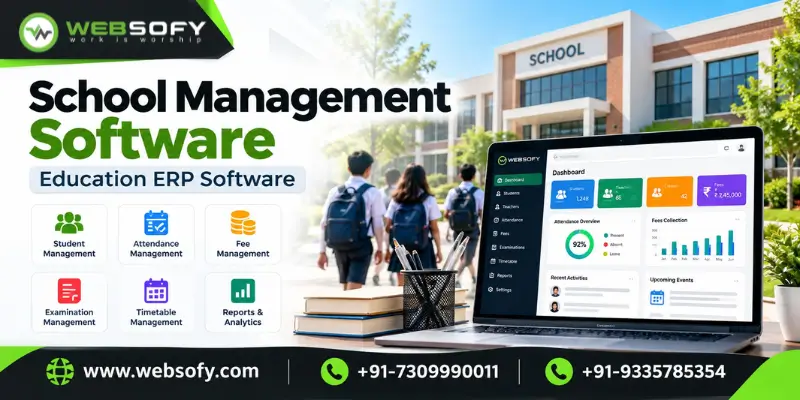
School management software brings admissions, fees, attendance, examinations, staff, library, transport and parent communication into one system. Education ERP software extends the same idea across an entire institute, so every person works from a private login. Websofy offers this as its School ERP. It runs on computers and phones, is installed online, and can be taken on a yearly subscription or as a one-time licence.
What is school management software and education ERP?
An ERP, or enterprise resource planning system, keeps the work of many departments in a single database. In a school, the front office, accounts, classrooms, examination cell and parents all draw on the same student record. When the accountant enters a fee, the parent sees it on the phone. When a teacher enters marks, the report card is ready. Because nothing is typed twice, mistakes drop and answers come faster.
Why schools are moving away from registers and spreadsheets
Many schools still note enquiries in a register, fees in a ledger, attendance in class books and marks in Excel. This setup leads to late fee follow-ups, report cards that take days, misplaced certificates and parents phoning the office for routine updates. A school ERP replaces these scattered records with one live system. The principal can then check strength, collections and attendance at any moment without waiting for a report.
Modules you can choose in Websofy School ERP
You select only the modules your school needs and add others later.
- Front office: enquiries, visitors, calls and postal records.
- Fees collection: your own fee heads, instalments with due dates, printed receipts and pending-fee lists.
- Attendance: student attendance and leave requests.
- Examinations: marks, grades, report cards and a class score sheet with rank.
- Online tests: a timer, optional negative marking and automatic results.
- Homework: lesson plans and study material.
- HR and payroll: staff leave and payslips.
- Communication: notices, a calendar and SMS.
- Library: book issue and return.
- Transport and hostel: routes, vehicles and rooms.
- ID cards and certificates: ID cards, bonafide, character and transfer certificates (TC).
- Student and parent app: fees, results and tests on the phone.
How the academic year runs in the system
| Stage | Handled by |
| Enquiry and admission | Front office module and student records. |
| Fee collection | Fee heads, instalments, receipts and due lists. |
| Daily classes | Attendance, homework and the teacher panel. |
| Assessment | Examinations, online tests and report cards. |
| Communication | Notices, calendar, SMS and the parent app. |
| Documents | ID cards, bonafide and character certificates, and TC. |
A separate panel for every role
Everyone signs in on the same page, and the right panel opens automatically. The school admin sees the whole school and creates the other logins. Teachers work with their day, attendance, marks and homework, while the accountant handles fees, income, expenses, payroll and reports. The librarian looks after books, and the receptionist manages enquiries, visitors and admissions. Students see their own fees, results, tests and homework, and each parent sees the same for all of their children.
Certificates and ID cards in a click
The software fills in the name, class, father's name, date of birth and admission number from the student record. You upload the school logo and the principal's signature just once, and both appear on every document. You can print ID cards for an entire class together or issue a single transfer certificate.
Data security, roles and accountability
Schools naturally ask first about trust, so Websofy builds it into the design.
- Separate data: no institute can view another institute's records, and automated tests confirm this.
- Enforced roles: a teacher cannot open fees, a student sees only their own record and a parent sees only their own children.
- Activity log: every change, fee collection and sign-in is saved with the user's name and the time.
Online installation and subscription basis
Websofy offers the same modules on two bases, and both are set up online. Under the yearly subscription, you pay each year only for the plan and modules you use. The days left are always visible, and renewal takes about a minute. Even if a subscription lapses, your data is kept and returns as soon as you renew. Under the one-time licence, you pay once, the licence never expires, and you can add modules or move to a bigger plan later.
How online installation works
Getting started takes four steps. First, you choose your modules and a plan. Next, Websofy sets up your school online and hands you the admin login. Then you add classes, staff, students and fee heads. Finally, you give logins to teachers, parents and students. Most schools begin with admissions and fees, then add attendance and examinations, so staff are never asked to change everything in one week.
What changes after going live
Fee dues are visible at any moment, report cards come straight from entered marks, certificates print in seconds and parents get updates without calling the office. To see how this fits a wider platform, visit our education technology page, or ask for a demonstration.
How we approach engagements like this
- Requirement discovery mapped to the real workflow, users and data involved
- Solution architecture and module planning before any code is written
- Secure, tested engineering with clear documentation
- Structured handover, training and post-launch support