
Project overview
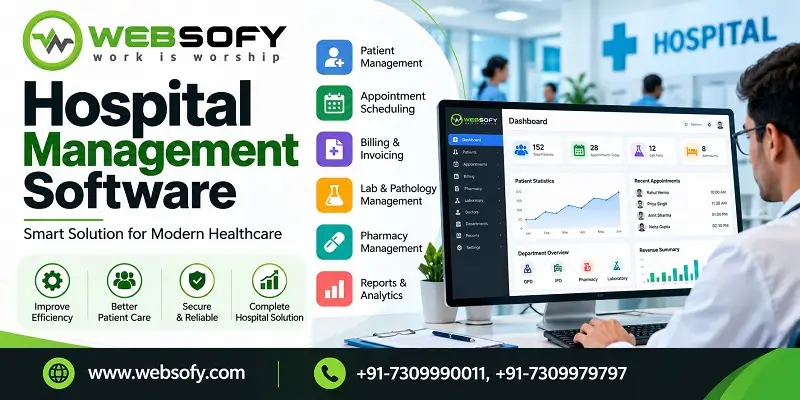
Websofy HMS is hospital management software that runs the patient journey from the registration counter to the discharge bill: OPD tokens, doctor queue, laboratory, pharmacy, IPD beds, operation theatre and government scheme claims, with a separate login for each staff role. Websofy Software Pvt. Ltd., Lucknow, offers it in two plans: a one-time licence for hospitals that want to own the software, and a monthly subscription for hospitals that prefer to pay as they use.
| At a glance | Details |
| Built by | Websofy Software Pvt. Ltd., Lucknow |
| Modules | OPD and tokens, doctor queue, TV display, laboratory, pharmacy, IPD and beds, operation theatre, schemes and claims, administration |
| Plans | One-time licence or monthly subscription |
| Schemes covered | Ayushman Bharat PM-JAY, Vay Vandana, UP state schemes, CGHS, ECHS, ESIC and TPA |
| Staff roles | Admin, reception, doctor, nurse, lab technician, lab in-charge, pharmacist and accountant |
| Works on | Chrome or Edge on a computer, tablet or phone |
What is hospital management software?
It is the system a hospital uses to register patients, bill them, move them between counters and keep their records in one place. In Websofy HMS the doctor’s tests reach the lab, the doctor’s medicines reach the pharmacy and the final bill carries every charge, so no one types the same detail twice.
What problems does it solve at a hospital counter?
- Long queues with no order: patients crowd the doctor’s door because nobody knows who is next.
- Re-entering the same details: the doctor writes a test, the lab copies it, and the pharmacy copies the medicines.
- Missed charges: a dressing, a bed shift or a surgery is left off the final bill.
- Expired medicines: stock is checked by eye and old batches get sold.
- Scheme claims: pre-authorisation and claim status sit in a notebook.
- Open access: every staff member can see every counter’s work and every rupee collected.
How does one patient move through the hospital?
- Reception: registers the patient, collects the fee and prints the token slip.
- Doctor: calls the token, examines and writes tests and medicines.
- Laboratory: takes payment and sample, enters and verifies the report.
- Pharmacy: calls the prescription token and gives the medicines, and the stock reduces.
- IPD: if the patient is admitted, the bed, services, advances and discharge bill are handled.
The verified lab report appears on the doctor’s screen at the patient’s next visit.
How does OPD registration and the token queue work?
The receptionist searches the patient by name, UHID or mobile number, or adds a new patient. After choosing the doctor, visit type and patient category (self, cash or a scheme), the fee fills in from the doctor’s fee list. A slip with the token number, doctor, room and amount prints at once. Each doctor has a separate token series that starts from 1 every day, and one patient cannot get two tokens for the same doctor on the same day. An emergency visit goes to the front of that doctor’s queue.
The doctor presses Call next token. A patient who does not come can be called again or skipped. A skipped patient returns after the next 3 waiting patients, and after 3 skips the token becomes a no-show. A called patient who does not arrive in 5 minutes is queued again. The admin can change these numbers.
What does the waiting-hall TV show?
A TV with a browser shows each call with the token, a short name and the room, and speaks it in Hindi or English. Only the first name and initial appear, to protect patient privacy. Reception can type a notice that scrolls at the bottom of every TV, and the pharmacy has its own token display.
What does the doctor see during a consultation?
The doctor enters vitals, complaint, examination and diagnosis. Tests are added with a tap, and medicines are picked from pharmacy stock, with the stock shown. Earlier visits and verified lab reports of the patient sit on the right of the screen. Save draft keeps the visit open, and Complete consultation opens the prescription to print. The tests then go to the lab worklist, and the medicines go to the pharmacy queue with a token.
How does the laboratory module control reports?
The lab follows five steps in order: payment, sample collection, result entry, verification and report. A step cannot be skipped, so there is no sample before payment and no report before verification. Values outside the reference range show in red as Low or High. The report prints with the hospital heading, the reference ranges and the name of the person who verified it. After verification it cannot be edited.
How does the pharmacy manage stock and expiry?
Stock enters only through purchases, with supplier, batch number, expiry, quantity, cost and sale price. Every sale takes stock from the batch that expires first, and expired batches are never sold. The stock screen shows usable stock, the re-order level and stock expiring within 90 days. The pharmacist dispenses from the doctor’s prescription queue or uses the counter sale for a customer without a prescription from the hospital, and a stock count can be corrected only with a reason.
How are IPD beds, bills and discharge handled?
The bed board shows free beds in green and occupied beds in red. The nurse or receptionist clicks a free bed, picks the patient, doctor and category, and the admission starts. General, private, ICU and NICU wards each have their own daily bed charge. Procedures, nursing and other services are added to the running bill at the price-list rate, and advances, final payments and refunds are saved with a receipt number. When a patient moves from a ward to the ICU, the bed rent is split at that time. The doctor discharges the patient with the final diagnosis and summary. A self-paying patient cannot be discharged while a balance is due, but a cashless scheme patient can, because the balance is claimed.
How does the operation theatre schedule work?
The staff chooses the patient, surgery, surgeon, date, time and theatre. The same surgeon or theatre cannot be booked twice within an hour. On the day the team presses Start and then Complete. For an admitted patient, the surgery charge is added to the IPD bill when the surgery is completed.
How are government schemes and insurance claims tracked?
The categories are ready: Ayushman Bharat PM-JAY, Vay Vandana for age 70 and above, UP state schemes, CGHS, ECHS, ESIC and TPA. For each case the staff records the patient, scheme, card number, package and amount requested. After the case is filed on the scheme’s own portal, the portal reference number and the pre-authorisation status are updated here. A claim can be recorded only after approval, and the settled amount is entered when the money arrives. For schemes with a 5 lakh family cover, the software checks how much of the card limit has already been used in your hospital. The hospital enters its own empanelled package rates, since none are pre-filled.
Who can see what?
| Role | Main work |
| Hospital admin | Creates staff logins, sets prices and rules, sees the audit trail |
| Reception | Registration, tokens, lab payment, admission, announcements |
| Doctor | Calls tokens, consultation, prescription, discharge |
| Nurse or ward | Admission, bed shifting, services added to the bill |
| Lab technician and in-charge | Samples and results, then verification and release of reports |
| Pharmacist | Dispensing, counter sale, purchases and stock |
| Accountant | Payments, discounts, claims and price lists |
The menu and every button are checked on the server, so a staff member cannot open another counter’s work even with a direct link. Staff sign in with a mobile number and password, and five wrong passwords lock the login for 15 minutes. The collection figures are visible only to the admin and the accountant. A login can be blocked without deleting its history, and the audit trail records payments, discounts, cancellations and discharges with the name and time.
What can the hospital set up itself?
The admin keeps the price lists: services and charges, doctor fees by category, lab tests with their reference ranges, medicines, suppliers, wards, beds and scheme packages. The hospital name and address for receipts, bills and reports come from the hospital profile, and the token rules are set in Settings. The software name, tagline and support contact can carry the hospital’s own branding.
Which plan suits your hospital?
Both plans give the same counters and the same day-to-day screens. The difference is how the hospital owns and pays for the software.
| Point | One-time licence | Subscription |
| Payment | Paid once, with no monthly charge | Monthly charge for the modules you choose |
| Validity | No expiry and no lock date | Valid until a date, extended when the invoice is paid |
| Modules | All modules are included | You pick the modules, and can add or remove them later through Websofy |
| Where it runs | On your own server or hosting, for one hospital | Set up by Websofy, which shares the link and the first admin login |
| Support and updates | Covered by an annual maintenance contract after the first year, if you choose one | Websofy remains your software provider |
| If it lapses | Not applicable | Old records can be viewed, but nothing new can be saved until renewal |
A one-time licence fits a hospital with its own server or IT person and a long-term plan. A subscription fits a clinic or a growing hospital that wants to start with a few modules and add more later.
What does the hospital need to run it?
- A server or hosting with PHP 8.3 or later and MySQL or MariaDB (for the one-time licence).
- A secure https address for the software.
- A modern browser on each counter and a TV with a browser for the waiting hall.
On the first day the admin signs in, changes the password, enters the hospital name and address, and adds staff, doctors, fees, wards, tests and medicines. We advise a database backup every day, with one copy kept outside the server.
Why Websofy?
Websofy Software Pvt. Ltd. builds software for police, government and private organisations from Lucknow. The same approach runs through our work: each role sees only its own work, and every important action is recorded. Each plan comes with a user guide for hospital staff. See also our Police Store & Malkhana Management System for stock and records work.
Want this for your hospital?
Fill in the form below, or call us on 7309990011 or 7309979797. You can also write to hr@websofy.com or naveen@websofy.com. Tell us the number of counters, beds and doctors, and which plan you prefer, and we will suggest the right modules.
How we approach engagements like this
- Requirement discovery mapped to the real workflow, users and data involved
- Solution architecture and module planning before any code is written
- Secure, tested engineering with clear documentation
- Structured handover, training and post-launch support