
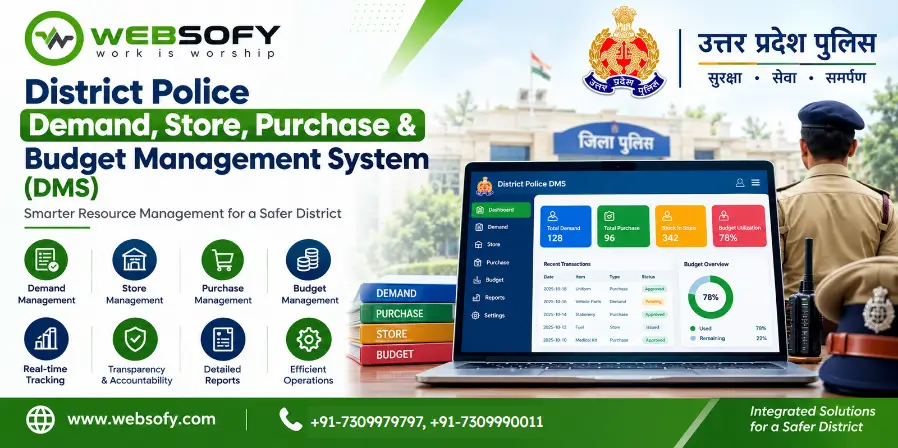
Project overview
A district police demand, store, purchase and budget management system is web-based software that takes an item request from a thana or branch through approval, purchase, stock and distribution, and tracks the related money from budget allocation to final payment. Websofy Software Pvt. Ltd., Lucknow, built this system for district police in Uttar Pradesh.
| At a glance | Details |
| Built for | District Police, Uttar Pradesh (SP/SSP office, units, store, purchase and accounts branches) |
| Built by | Websofy Software Pvt. Ltd., Lucknow |
| Users | 13 roles, from unit requester and SHO to approving authority, accounts, SP, auditor and administrator |
| Languages | English labels with Hindi alongside |
| Access | Chrome, Edge, Firefox and mobile browser |
| Data entry | Manual entry from official documents, with maker-checker verification |
What is the District Police DMS?
It replaces paper demand letters, scattered registers and phone follow-ups with one shared record. Every authorised officer sees the same demand, stock, bill or payment according to role. Each action is saved with the officer’s name, the time and the reason, so the SP can see where every demand, bill and rupee stands.
What problems does it solve?
A thana raises a demand on paper, and nobody can say whether it is waiting at scrutiny, stock check, approval or purchase. Stock sits in one register, sanctions in another, bills in a third. Urgent needs compete with routine ones, and money is hard to trace. The system gives each demand a number and a place in a queue, shows the desk where it is pending, and links stock, orders, bills and payments.
How does a demand move from thana to distribution?
| Stage | What happens |
| Demand | The munshi enters items, quantities, estimated rates, priority and scanned papers. The system generates the demand number and submission time. |
| Endorsement | The SHO endorses or returns it with a reason. An optional Circle Officer review can be switched on. |
| Scrutiny | The nodal officer checks completeness and duplicates, and fixes the approved priority. |
| Stock check | The store officer records free stock and chooses the issuing store. |
| Approval | The approving authority approves fully or partly within a delegated limit, or returns or rejects. Free stock is reserved. |
| Purchase | Any shortfall goes to the procurement coordinator, who records the official order and links it to waiting demands. |
| Receipt and issue | The inspection officer records delivery, and the store officer posts accepted stock and issues items. |
| Acknowledgement | The unit confirms the quantity received. A shortfall is flagged as a dispute. |
How does the priority queue work?
All open demands sit in one district queue, ordered by priority band and, within a band, strictly by first submission time.
- P1 Emergency: target of 2 days by default.
- P2 Urgent: 7 days, with a compulsory required-by date.
- P3 Normal: 21 days.
- P4 Planned: 60 days.
Demands past their target turn red. Raising a demand to P1 by override is allowed only to the approving authority and the SP, with a reason, and it appears in the exception register.
How are stock and distribution managed?
The store officer keeps balances by item and store, showing usable, reserved, free and damaged stock, and tags items below minimum stock. Durable assets such as computers and wireless sets are tracked by serial number, so a serial already with a unit cannot be issued again until its return is verified. Opening stock, returns, adjustments, damage and write-offs take effect only after another officer verifies them.
How are purchases recorded?
The purchase itself happens outside DMS, on GeM/a>, by tender, quotation or rate contract. The system records the official order reference, supplier, lines, value and expected delivery, and links the order to the demands it will meet. One consolidated order can serve several demands, and each keeps its own number. Milestone changes are written into every linked demand’s history, and only the accepted quantity enters usable stock.
How are budget, bills and payments tracked?
The accounts operator enters allocations, releases, re-appropriations and surrenders by budget head and financial year, then sanctions, bills and payments from the original documents. Bills move through defined steps from Submitted to Under Scrutiny, Passed, Forwarded to Treasury and Paid, and every status change keeps a dated history. A payment cannot exceed the unpaid balance of a bill.
The head-wise summary shows only verified figures, with a freshness line for the last entry. The accounts officer can compare system totals with official registers, and any difference stays open until a different officer signs it off.
How does maker-checker keep it accountable?
Every financial entry and stock correction needs a second officer to verify it, and nobody can verify their own entry. Unverified entries are excluded from totals. The inspecting officer cannot post their own goods receipt, and an approver cannot approve beyond the delegated limit. Posted entries are never silently edited; they are reversed or cancelled with a reason, and the history stays visible.
What do officers see?
The SP gets a district dashboard with open and overdue demands, demands by priority, age and circle, budget use by head, pending bills by desk, low stock and exceptions. There are 13 reports, each viewable on screen and downloadable as CSV for Excel. An automatic exception register flags budget overrun, order above sanction, duplicate bills, overdue demands and receipt disputes, with severity.
How does it keep data secure?
Every login, change, verification, upload, download and export enters an audit trail. A chained integrity check detects any altered or deleted entry. Five wrong passwords lock an account for 15 minutes, and sessions end after 30 minutes of inactivity. Unit users see only their own unit, a Circle Officer sees the circle, and district officers see the district.
Benefits of District Police DMS
- One record: demands, stock, orders, bills and payments are linked.
- Fair order of work: priority bands and first-in-first-out keep the queue transparent.
- Visible pendency: every demand and bill shows its current desk and days waiting.
- Less duplicate buying: free stock is checked before any purchase.
- Accountable money trail: verified figures, reconciliation and sign-off.
Who uses it?
- Thana, chowki and branch staff: raise and correct demands, endorse them, and acknowledge items received.
- District officers: scrutinise, approve, hold, override priority and monitor the district.
- Store, purchase and inspection staff: maintain stock, record orders and inspect deliveries.
- Accounts, auditor and administrator: enter and verify money records, review audit data, and manage users and masters.
How did Websofy build it?
Websofy mapped the demand chain, store and purchase routines and budget and bill workflow into one system with 13 role-based access levels. DMS is deliberately a manual-entry system. Orders, sanctions, bills and payments are entered from the original documents, and screens show the latest recorded position with its time. It is not connected to the treasury, IFMS, GeM or e-Office.
What changed
Thanas know where each demand stands, officers can justify every approval, and the district head sees stock, purchase and money on one dashboard. See also our Police Awas Allotment System, Police Gadna Management Software and the Lucknow Police Citizen Services Portal.
How we approach engagements like this
- Requirement discovery mapped to the real workflow, users and data involved
- Solution architecture and module planning before any code is written
- Secure, tested engineering with clear documentation
- Structured handover, training and post-launch support