
Project overview
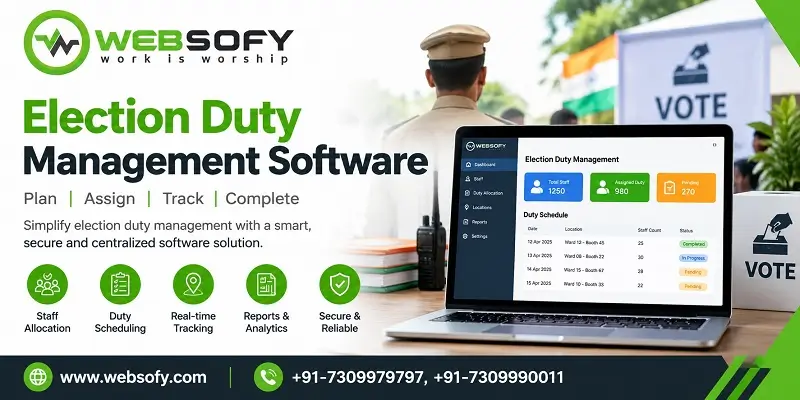
Election duty management software is police software that builds and tracks every election duty, from the model code of conduct to polling day: booth duty, law and order (LOR) duty, FST and SST shifts, VIP bandobast, CAPF deployment and halt arrangements, with signed QR duty cards and a mobile app for every personnel. Websofy Software Pvt. Ltd., Lucknow, built it for the election cells of Uttar Pradesh police. It has been in service since 2018 and now runs in more than 15 districts.
| At a glance | Details |
| Built for | Election cells of district police, Uttar Pradesh |
| Built by | Websofy Software Pvt. Ltd., Lucknow |
| Experience | In service since 2018: 65+ elections in more than 15 districts |
| Elections covered | Lok Sabha, Vidhan Sabha, by-elections and urban local body elections |
| Duties | Booth, LOR, FST/SST, VIP, CAPF, halt and logistics |
| Duty cards | A5, A4, A3, Legal or custom size, each with a digitally signed QR |
| Mobile app | Android, with OTP login, SOS, geo-tagged attendance and My QR |
| Control room | Live SOS board, map, broadcast and report centre |
Where has this software been used?
The software has been in service with Uttar Pradesh police since 2018. It has run in Lok Sabha, Vidhan Sabha, by-election and urban local body election duty, over 65 elections in more than 15 districts. Superintendents of police of the districts served have given appreciation letters for the work.
Before each season Websofy also tests it at scale. In one test on data the size of a large assembly election, it handled 13,863 personnel, 1,515 polling stations, 9,360 booth duties made in about 8 seconds, 3,483 LOR duties and 101 VIP duties. 66 automated tests checked every duty against every rule, such as one person one duty, no duty above standard, the home circle rule and only available personnel. No error was found.
Which districts has the software served?
The software has run in election duty in more than 15 districts of Uttar Pradesh. These include:
| No. | District | जनपद |
| 1 | Saharanpur | सहारनपुर |
| 2 | Shamli | शामली |
| 3 | Muzaffarnagar | मुजफ्फरनगर |
| 4 | Bulandshahr | बुलन्दशहर |
| 5 | Hapur | हापुड़ |
| 6 | Budaun | बदायूँ |
| 7 | Sitapur | सीतापुर |
| 8 | Kaushambi | कौशाम्बी |
| 9 | Pratapgarh | प्रतापगढ़ |
| 10 | Banda | बाँदा |
| 11 | Mahoba | महोबा |
| 12 | Auraiya | औरैया |
| 13 | Chandauli | चन्दौली |
| 14 | Mirzapur | मीरजापुर |
| 15 | Bhadohi | भदोही |
What is election duty management software?
It is the system an election cell uses to decide who stands where, and to prove it afterwards. It holds the booth list and the force list, applies the duty standards, creates duties, prints cards, records replacements and keeps the control room informed on polling day.
What problems does the election cell face?
- Thousands of personnel: 8,000 to 10,000 booth duties made by hand take several days.
- Double duty: one person gets two duties, or a person who is not available gets a duty.
- Wrong person: someone reaches a booth on another person’s card.
- Last-minute replacement: the person who did not report must be replaced by someone of the same rank.
- Changes without approval: LOR changes made on a complaint or an illness leave no record.
- FST and SST shifts: 8 or 12 hour shifts run from the model code of conduct to polling.
- VIP rallies: they need separate duties, and nobody should get two duties at the same time.
- CAPF and logistics: CAPF stays inside the centre, and halt, food and goods must be accounted for.
- Polling day: the cell needs attendance, instant contact in trouble and one message for everyone.
How does it work from the model code to polling day?
- Preparation: booth and force lists come in from Excel.
- FST and SST: the force calculator and shifts.
- VIP rallies: zone, sector and site.
- LOR: pickets, barriers, QRT and other duty types.
- Booth duty: created from the standard in seconds.
- CAPF: deployment inside the centre.
- Card and QR: printed on any paper size.
- Halt and logistics: goods sent and received.
- Replacement: approved by the nodal officer.
- Polling day: app and control room.
Progress of every stage is visible live at the control room.
How are booth duties created?
The officer imports the booth and force lists from Excel, and the system checks for duplicate and wrong records. The standard is booth count, centre category and rank, so the officer does not pick names. The home thana and circle rule is checked every time. The random sequence is saved, so running it again gives the same result, and a second run fills only vacancies. A rank-wise shortage shows at once, and if someone does not report, a person of the same rank takes the place.
How does it handle LOR, FST and SST duty?
The cell creates its own duty types and standards, such as pickets, barriers, QRT, sector and zonal officers or thana mobiles, and every site can have its own standard. For FST and SST, a force calculator multiplies the standard by the teams and shifts and shows the force needed against the force available. Teams are made in one click, using the same thana’s personnel first. The shift, 8 or 12 hours, stays the same from the model code of conduct to polling, and the magistrate’s name is recorded for every shift.
How are VIP rallies handled?
For a rally or visit of the Prime Minister, Chief Minister or a minister, the officer builds zone, sector and duty site, such as gate, stage, helipad, route and parking. Every site has its time, reporting point, dress, arms and instructions. Duties go by rotation, to those with fewer duties first, and nobody gets two duties at the same time. VIP duties have their own card and QR, and a scan records arrival. Relievers, cancellations and live strength are tracked.
How are CAPF, halt and logistics managed?
Inside a polling centre only CAPF is deployed, and local police stay outside. The system applies a ½, 1 or 2 section standard by centre category, divides companies among centres and shows any shortage at once. The card of a local personnel says that CRPF or another force is inside the centre and that he is posted outside.
The Reserve Inspector records halt sites, the in-charge and the personnel staying there. The goods sent and the in-charge’s receipt are both recorded, and a short receipt shows in red. Emergency messages carry the time sent and the time received.
How are replacements controlled?
Booth and LOR changes are recorded separately. For booth duty, the person who did not come is replaced by a person of the same rank without delay. A change before the duty only edits the list. After the list is frozen, any LOR change needs approval from the nodal officer (ADSP), in the software or in the app. Replacements from another district can be matched by PNO from an Excel list. Every change stores the reason, the person and the time, and the report downloads to Excel.
How do QR duty cards stop impersonation?
Every card carries a QR signed digitally with Ed25519, and the same QR sits in the app under My QR. A normal scanner shows the name, PNO and mobile, so the officer can match them with the person in front of him. Only a logged-in officer or in-charge can use the app check, where the server asks whether the signature is genuine, whether the card belongs to this district, whether the duty is unchanged and whether the card is the latest one. The answer is valid, or fake, changed duty or old card. Every scan is recorded, and an old card stops working when the duty changes. A replacement person gets a new card.
What can the duty cards look like?
Cards print on A5, A4, A3, Legal or a custom size, in portrait or landscape, and nothing gets cut. One A5 card holds up to 36 names, and a longer list continues on a remaining-names page under the same heading. The card shows the in-charge officer, the sector or zonal officer, the thana in-charge numbers, the control room helpline and the signing officer (SP or SSP), which come from settings. Each card has its own signed QR, and the department can print the cards itself.
What does the mobile app do on polling day?
The Android app opens with an OTP, and each district sees only its own data.
- Every personnel: sees his duty, colleagues and in-charge officer. Pressing SOS for two seconds sends a voice message and location, and without network it is held on the phone and sent when the network returns. Attendance is geo-tagged, a photo report can go to the control room, and My QR is one tap away.
- Officers and in-charges: see all booths of their area on a map and in a list, and can call or WhatsApp the personnel at a booth. A nearby SOS gives a loud alarm and can be accepted. They can scan a QR to check the force and see nearby officers online.
- Control room and nodal officer: a live SOS board and map, voice messages, accept, act and forward, and broadcast to a whole district or area, even in a disaster. They check attendance and send field notices, and the nodal officer approves changes from the app.
How does the command and control room work?
An SOS that is not accepted in 3 minutes moves to the next level on its own. Every SOS keeps a full timeline. A lost or stolen phone is blocked from login at once. The report centre shows thana-wise shortage, pending approvals and open SOS calls.
How is the data kept secure?
- Separate database for each district: one district cannot see or change another’s data.
- One person, one duty: the rule is locked in the database, so two operators clicking together still cannot create a double duty.
- Roles: admin, nodal, operator, control room, Reserve Inspector and view-only.
- Nodal approval: after the freeze, every LOR change needs the ADSP’s consent.
- Audit: a permanent record of who changed what, when and why.
- Login: password change at first login, lock after wrong attempts, OTP in the app, and a lost phone is disabled.
- Encryption: HTTPS, encrypted keys and hashed passwords that nobody can read.
What does Websofy provide with the software?
- A separate secure login and database for each district, with roles as per the election cell.
- Import of the booth and force lists from Excel, with a check for double and wrong records.
- Training for the election cell, the control room, the Reserve Inspector office and the officers.
- Phone and on-site support from duty creation to polling day.
- A live demo of the software and the app in your own office.
What does election duty management software cost?
Websofy offers the software in two plans. Both include the mobile app, control room, CAPF and halt modules. The price is for one election with a 3-month term, and GST is extra.
| Plan | Price (INR) |
| Election Duty Software | 1,00,000 |
| Election Duty Software + SMS Integration (1 lakh SMS) | 1,00,000 + 25,000 |
Card printing is not included, because the department can print the cards on its own printer from the software. To get software demonstration contact: +91-7309979797, +91-7309990011 and naveen@websofy.com.
What changed?
Booth duties that took days now take seconds. Every card can be checked at the booth, every change has a reason and an approval, and the control room sees shortages, pending approvals and open SOS calls in one place. See also our VIP duty management software, Police Awas Allotment System and Lucknow Police Citizen Services Portal.
How we approach engagements like this
- Requirement discovery mapped to the real workflow, users and data involved
- Solution architecture and module planning before any code is written
- Secure, tested engineering with clear documentation
- Structured handover, training and post-launch support